


How to Choose Whiteboards for Hospitals: A Buyer’s Guide
Buying hospital whiteboards, medical facility information boards, and healthcare whiteboards looks simple on a requisition. In practice, these boards are core communication tools that shape patient-staff communication, support clinical workflow, and affect infection prevention, patient experience, compliance, facilities planning, and the budget. When teams buy without a shared process, boards end up mismatched across units, hard to reorder, and outdated sooner than expected.
The best purchase comes from a clear process, not from comparing catalog pages. For hospital administrators, patient experience leaders, operations managers, department heads, and anyone responsible for procuring or managing communication boards, this guide focuses on the decision itself: how to define the purchase scope and trigger, build the right evaluation team, apply eight selection criteria, ask the right questions internally and with vendors, use a procurement checklist, avoid common buying mistakes, and make the final decision with long-term value in mind.
What you’ll learn:
- How to define the purchase before you evaluate options
- Who to involve and when
- Eight evaluation criteria for healthcare whiteboards
- Key questions to ask your team and potential vendors
- A step-by-step procurement checklist
- Common mistakes that lead to costly rework
Start by Defining the Purchase
Before you look at a single product, get clear on why you’re buying, how far the purchase reaches, and where the boards will live.
Identify What’s Driving the Purchase
The trigger shapes your priorities, timeline, and budget. Common triggers include:
- New construction, renovation, or unit expansion. Timeline and install coordination come first.
- Regulatory or accreditation updates. Documentation and safety become top priorities.
- Patient experience feedback. Layout clarity and readability move to the front.
- Staff feedback about workflow gaps or worn boards. Workflow fit and ease of use matter most.
- Health system mergers or standardization efforts. Scalability and layout control lead.
- Peer benchmarking. Your hospital wants to match or exceed similar institutions.
Name your trigger in writing. It becomes the anchor for every later decision.
Set the Scope: One Unit, One Department, Hospital Patient Rooms, or the Whole System
Replacing boards on one unit is a very different project from a system-wide program. A single-unit purchase can focus on immediate fit. A multi-facility effort needs heavier weight on scalability, layout control, and reorder consistency, because every future order must match.
Clarify Which Communication Zones Are Involved
Most hospitals have five communication zones: patient rooms, bedside, nurse stations, units and departments, and doors and common areas. A purchase that spans several zones needs a shared visual language from the start, with consistent icons, colors, and headings.
Key takeaway: A clear trigger, scope, and zone list keep the evaluation focused and prevent scope creep.
Build the Right Evaluation Team
Healthcare whiteboards affect many departments. A choice that works for one group often fails for another, so bring the right people in early.
| Stakeholder | What They Evaluate | When to Involve Them |
|---|---|---|
| Procurement and supply chain | Vendor reliability, terms, reorder process | From the start |
| Nursing leadership and clinical managers | Workflow fit, staff adoption, layout needs | From the start |
| Infection prevention (IP) | Cleanability and disinfectant compatibility | Before shortlisting |
| Environmental services (EVS) | Daily cleaning practicality | Before shortlisting |
| Facilities and design | Wall conditions, placement, install planning | Before final selection |
| Patient experience | Clarity for patients and families | During layout review |
| Clinical informatics or IT (for hybrid or digital boards) | System compatibility | Before shortlisting |
Some hospitals also route purchases through a value analysis committee. This is a group that reviews new products for clinical value, safety, and cost before approval. If your facility has one, add its review to your timeline early.
Key takeaway: Early input prevents late objections and expensive rework.
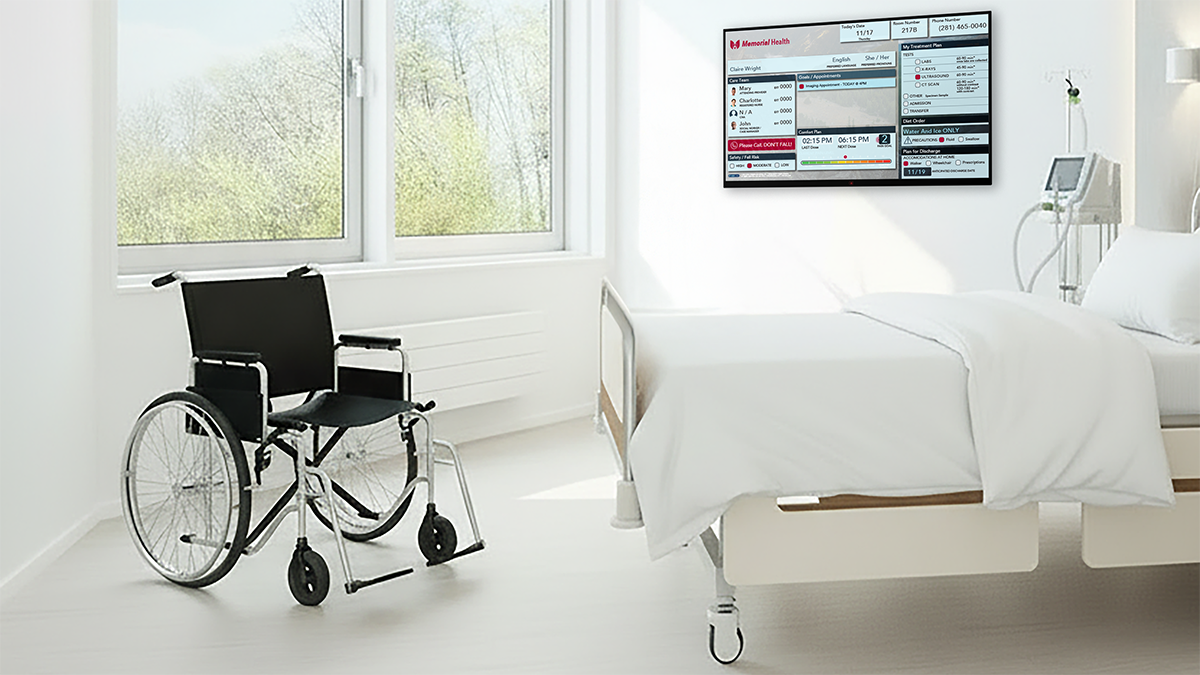
Eight Evaluation Criteria for Digital Patient Room Whiteboards
These criteria describe what good looks like. They aren’t technical specifications, which come later if your process requires them. Use them to compare healthcare whiteboards and vendors on equal terms.
1. Clinical Workflow Fit
Does the board support how your unit actually works, including shift handoffs, rounding, and patient updates? A board that fights the workflow won’t stay current. Validate layouts with frontline nurses before you buy.
2. Customization and Layout Control
Can layouts, icons, colors, and branding be adapted to each unit while still following a shared system, including patient-centered formats that track daily goals? Displaying care team names can also increase patient engagement. Just as important, can the vendor keep approved layouts on file for future orders? Strong layout control protects consistency long after the first install, and patient-centered boards empower involvement in care by tracking goals. Explore options for custom-designed boards.
3. Compliance and Safety Documentation
Ask for documentation that supports your regulatory and accreditation needs. This may include safety glass certifications, material safety information, and accessibility-related mounting guidance. The ADA (Americans with Disabilities Act) sets accessibility standards that apply to many public spaces, including hospitals. Well-designed boards can reduce medical errors by displaying critical patient alerts and current patient status clearly.
Also confirm that proposed layouts support HIPAA, the federal law that protects patient health information. Visible boards should show only what staff and visitors need to know. Look for vendors whose products and documentation support your compliance program, not vague promises.
4. Durability and Cleanability Evidence
Treat this as an evidence check. Request manufacturer cleaning guidance, disinfectant compatibility information, and physical samples for high-grade materials that resist staining and are easy to clean. Your IP team will want to match products against your list of EPA-registered disinfectants. These are cleaning products registered with the US Environmental Protection Agency for use on hard surfaces. When reviewing samples, check how the writable surface holds up to repeated disinfecting and whether the printed layout stays protected. For details on how surfaces perform, see our hospital whiteboard cleaning guide.
5. Readability and Ease of Use
Can patients, families, and staff read the board from where they actually sit or stand so it supports patient communication as well as staff use? Is it simple enough that busy staff will keep it updated with minimal training? Clear visual aids also help reduce patient anxiety about care and improve retention of important patient information. Ease of use helps improve communication, and adoption drives results.
6. Scalability and Reorder Consistency
Can the vendor reproduce the same board, colors, and print quality two or five years from now? Can the system expand to new units or acquired facilities without a full redesign? A board that can’t be matched later creates a patchwork that undermines your communication standards.
7. Vendor Support and Reliability
Evaluate responsiveness, design support, documentation quality, and help after installation. A reliable partner answers questions quickly and stays involved past the sale. References from hospitals of similar size and scope are one of the strongest signals you can collect.
8. Total Value Beyond Unit Price
The lowest price per board can cost more over time. Early replacement, inconsistent reorders, and poor staff adoption all add hidden costs. Weigh expected service life, support, and outcomes alongside the purchase price.
Weighted Evaluation Scorecard
Use this chart to compare vendors. Set weights based on your purchase trigger, totaling 100%.
| Criterion | Weight (%) | Vendor A | Vendor B | Vendor C | Notes |
|---|---|---|---|---|---|
| Clinical workflow fit | |||||
| Customization and layout control | |||||
| Compliance and safety documentation | |||||
| Durability and cleanability evidence | |||||
| Readability and ease of use | |||||
| Scalability and reorder consistency | |||||
| Vendor support and reliability | |||||
| Total value beyond unit price |
Key takeaway: Weigh criteria by your trigger. A renovation may weight scalability and install support highest, while a patient feedback trigger may weight clarity and workflow fit.
Key Questions to Ask Before You Buy
Good questions reveal whether a vendor can support a system, not just fill an order. Start inside your own walls.
Questions for Your Internal Team
- What problem are we solving, and how will we know it’s solved?
- Which units and zones are in scope now, and which may follow?
- Have IP and EVS confirmed our approved disinfectant list?
- Who owns the board layouts after installation?
- How will we gather staff feedback before and after the purchase?
Decision-Level Questions for Vendors
Keep vendor conversations focused on six themes:
| Theme | Question to Ask |
|---|---|
| Fit | Can your digital boards integrate with EHR for real-time updates, and can you adapt layouts to our workflows and keep layouts on file? |
| Evidence | What compliance, safety, and cleaning documentation can you provide? |
| Proof | Can we review samples or mockups with our staff before ordering, and can you share an example of how the display handles real-time data? |
| Consistency | How do you make sure future reorders match today’s boards? |
| Support | What help do you provide during design, installation, and after go-live? |
| References | Can you connect us with hospitals of similar size or scope? |
Clear, specific answers signal a partner who has done this before. Vague answers are worth noting on your scorecard.
Your Healthcare Whiteboard Procurement Checklist
This phased checklist keeps stakeholders aligned and documents your decision. Adapt it to your facility’s approval process.
Phase 1: Plan
- Document the purchase trigger and goals
- Define scope, units, and zones
- Confirm budget alignment and approval path
- Assemble the evaluation team
Phase 2: Evaluate
- Set criteria weights on the scorecard
- Build a shortlist of qualified vendors
- Request compliance, safety, and cleaning documentation
- Collect references from similar hospitals
Phase 3: Validate
- Review samples or mockups with frontline staff
- Confirm cleanability with IP and EVS
- Confirm layouts with nursing and patient experience leaders
- Decide whether a formal bid, such as a request for proposal (RFP), is needed
Phase 4: Decide and Prepare
- Score finalists and document the recommendation
- Approve final proofs
- Plan installation timing to limit unit disruption
- Save approved layouts for future reorders
Phase 5: Review
- Gather staff and patient feedback after go-live
- Check that boards are complete and current
Phase 5 connects directly to long-term governance.
Key takeaway: A phased checklist keeps every stakeholder aligned and creates a clear record for future audits.

Common Buying Mistakes to Avoid
Most buying mistakes come from skipping a stakeholder or a step, not from choosing the wrong product.
| Mistake | Better Approach |
|---|---|
| Buying on unit price alone | Weigh service life, reorder consistency, and support alongside price |
| Letting units buy independently | Use a shared system so staff who float between units find information in the same place |
| Skipping IP and EVS review | Confirm disinfectant compatibility before shortlisting |
| Leaving frontline staff out | Test samples or mockups with nurses who will use the boards daily |
| Ignoring reorder consistency | Save approved layouts with your vendor from day one |
| Underestimating vendor support | Ask how the vendor helps during design, installation, and after go-live |
Making the Final Decision
With your shortlist scored and validated, it’s time to choose.
Compare Finalists Side by Side
Use your weighted scorecard to compare two or three finalists. Record the reasons behind each score, not just the totals. Those notes make your recommendation stronger and easier to revisit later.
Let Staff Experience the Options
Hands-on review matters. Invite nurses, EVS staff, and patient experience leaders to write on samples, clean them, and react to layouts. Their feedback often surfaces issues that never appear on a spec sheet, and it builds early buy-in for adoption.
Present a Clear Recommendation
Summarize your decision on one page. Include the trigger, criteria weights, scores, stakeholder input, and expected outcomes.
Key takeaway: A documented, team-backed decision is easier to approve and easier to defend.
Next Steps
A confident purchase starts with a clear process. Keep these points in mind:
- Define the trigger, scope, and zones before comparing options.
- Involve procurement, nursing, IP, EVS, and facilities early.
- Evaluate healthcare whiteboards on workflow fit, compliance documentation, durability evidence, usability, scalability, support, and total value.
- Follow a phased checklist and validate options with frontline staff.
- Save approved layouts so future orders stay consistent.
VisiCare™ partners with hospitals and health systems to deliver customizable, durable communication boards designed to support your compliance needs. Our team provides clear documentation and reliable support from the first consultation through installation and beyond. We’ll help you review your units, clarify priorities, and build a plan that scales with your facility.
Frequently Asked Questions
What should hospitals look for in healthcare whiteboards?
Look for strong clinical workflow fit, customization with layout control, compliance and safety documentation, proven cleanability, readability, reorder consistency, reliable vendor support, and total value beyond unit price. The right board also depends on location: nurse station scheduling whiteboards are larger for shared work areas, while boards used in emergency departments provide critical information in real time.
Who should be involved in choosing hospital whiteboards?
Include procurement, nursing leadership, infection prevention, environmental services, facilities, and patient experience. Add IT if you’re considering hybrid or digital boards.
Should every unit use the same whiteboard?
Not necessarily. The best approach is a shared system with common icons, colors, and headings, plus unit-specific layouts.
How can we test whiteboards before buying?
Request samples or mockups and have frontline staff, IP, and EVS teams review them. Ask staff to write on, erase, and clean each sample, then capture their feedback on your scorecard.