

Hospital Whiteboards Best Practices: What to Include (and Avoid)
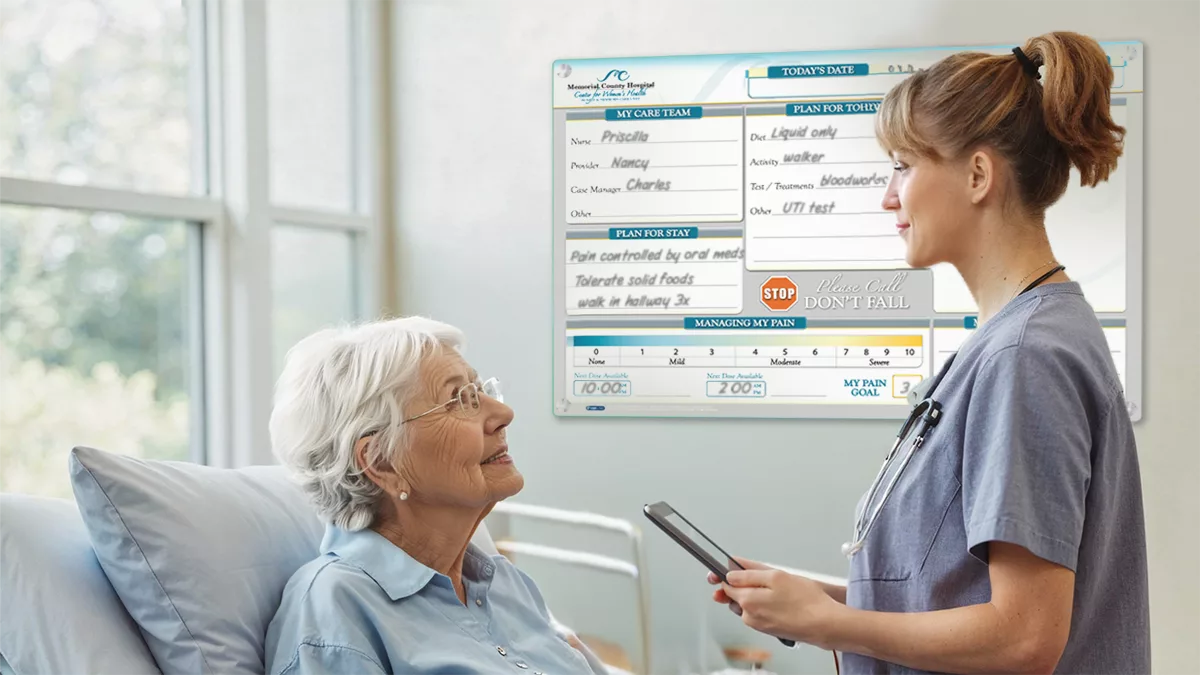
Quick answer: Hospital whiteboards are dry erase boards placed in patient rooms to display a small set of high-value, current information—typically the date and day, care team names and roles, a daily goal, the pain management plan, hourly rounding updates, and key safety notes. Avoid clutter, appointment lists, and details that are hard to keep accurate. A readable, well-maintained board supports patient safety, satisfaction, and staff efficiency.
Walk into a patient room and you’ll often find the same problem on the wall: a whiteboard half-filled with outdated names, the wrong day scrawled in a corner, and a marker that disappeared three shifts ago. A board like that doesn’t just sit idle—it actively works against you. Following patient whiteboard best practices turns that blank space into a tool that keeps patients informed, staff aligned, and care moving in the right direction.
For hospital administrators, patient experience leaders, and facility operations managers, the challenge is rarely whether to use a board. Looking at how to make hospital whiteboards clear, consistent, and worth updating is important. The details matter: what information to include and avoid, how to design for readability and placement, what size works for the room, and how to sustain reliable use as part of a stronger patient communication system.
The stakes are higher than they might appear. A well-designed whiteboard supports patient safety, lifts satisfaction scores, and saves nurses time during every shift. A poorly designed one undermines all three. When patients can’t tell who’s caring for them or what the plan is, anxiety rises and trust slips.
Why Dry Erase Board Content Matters
The information on a patient whiteboard shapes how patients understand their care—and how they judge its quality. A clear, current board signals attentiveness and competence. A neglected one sends the opposite message.
Consider the impact of a single outdated detail. When a patient sees the wrong day or a nurse’s name from two shifts ago, it quietly suggests that no one is paying close attention. That small slip can color their entire perception of care, even if the clinical work behind the scenes is excellent. Accuracy isn’t a nice-to-have; it’s the foundation of trust.
The reverse is equally true. As one of the traditional patient communication tools still used alongside digital options, when the board reflects exactly what’s happening—today’s date, the right care team, the day’s goal—patients feel oriented and included. That sense of control is closely tied to both satisfaction and engagement. Whiteboards also support family engagement when relatives or other visitors are in the room and need a clear view of the care plan.
What to Include on a Patient Whiteboard
The strongest boards share a trait: they show only what matters most. Research by Tan et al. (Postgrad Med J, 2013) found that standardized patient whiteboards can support more patient-centered care when they consistently display the right core information. Healthcare facilities use a range of communication systems, and while some digital whiteboards can connect to Electronic Health Records for real-time updates, patient whiteboards remain a practical option because they keep the highest-value information visible in the room. Here’s what belongs on every board.
- Date and day: Updated every morning. This is the simplest item to maintain and the most damaging to get wrong.
- Care team names and roles: Limit this to essential roles—nurse, physician, and patient care technician. Show which staff are working that day, but avoid listing every person who might enter the room, since that makes the board harder to maintain and harder to read.
- Daily goal: A short prompt like “What is the most important thing we can do for you today?” invites patients into the conversation and gives the shift a clear focus.
- Pain management plan: Note the current pain goal and the next reassessment time so patients know what to expect and when.
- Hourly rounding tracker: A simple checkmark system reassures patients that check-ins are happening on schedule.
- Important reminders and safety notes: Flag essentials such as fall-risk precautions or dietary restrictions where staff can see them at a glance.
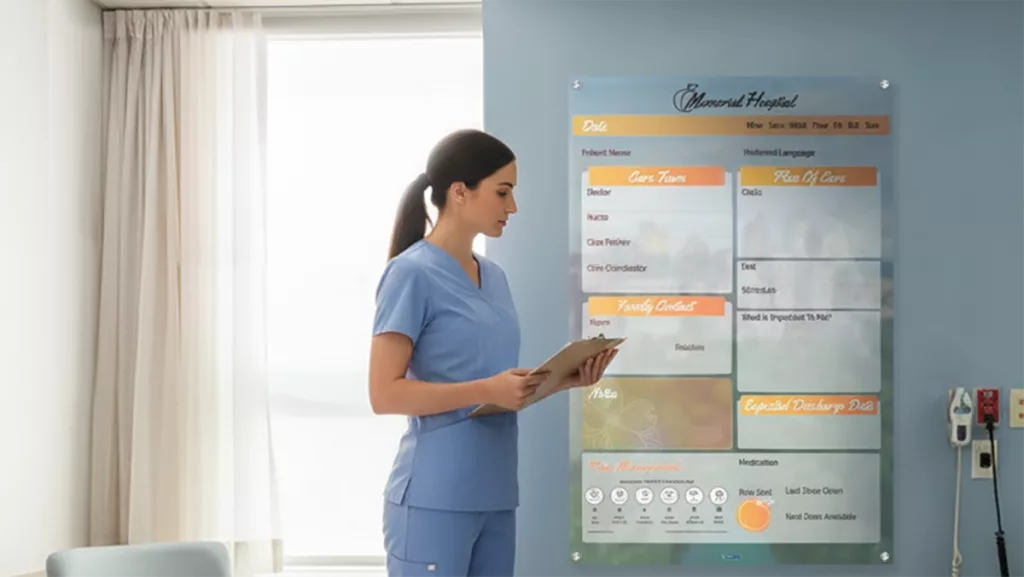
Keep each section distinct and easy to scan. The board should answer a patient’s most pressing questions—Who is caring for me? What’s the plan? When will I be seen?—without forcing them to hunt for the answers. For examples of effective layouts, see VisiCare’s patient room boards.
What to Avoid on Hospital Whiteboards
Knowing what to leave off is just as important as knowing what to include. A few common mistakes can turn a helpful board into a source of confusion.
- Overcrowding: Cramming the board with text reduces readability and buries the details that matter. Prioritize information that changes daily, and resist the urge to fill every inch.
- Appointment lists: Specific schedules are difficult to keep accurate and can backfire when they’re outdated. A patient who sees a test listed for 10 a.m. that never happens loses confidence quickly.
- Non-essential care team roles: Listing every consultant, student, and specialist is nearly impossible to maintain consistently. Stick to the core team the patient interacts with most.
The pattern here is consistent: anything that’s hard to keep current does more harm than good. When in doubt, leave it off.
Design Principles for Effective Whiteboards
Content is only half the equation. The physical design of the board determines whether it gets used at all.
Readability and Placement
Position the board within the patient’s direct line of sight, typically across from the bed. Use clearly defined sections so both patients and staff know where to look for each piece of information. Placement should also make the board easy to clean as a high-touch surface, which is crucial for preventing infections. Clean layout beats dense detail every time. Regular cleaning also helps maintain a safe environment for patient recovery.
An Update-Friendly Layout
Boards with interchangeable inserts or pre-printed sections make revisions fast. When updating takes seconds rather than minutes, staff are far more likely to keep the board current throughout the shift.
A Dry Eraser Marker Holder for Patient Room Whiteboards
It sounds minor, but a missing marker is one of the most common reasons boards go unused. Attaching a dedicated marker holder is a simple, low-cost step that directly drives adoption.
Customization by Unit
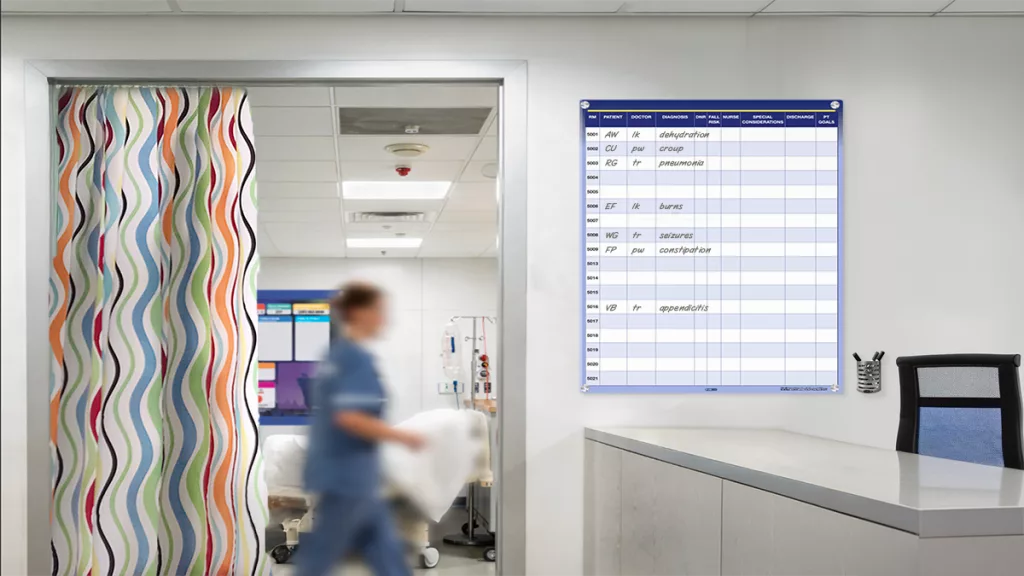
A one-size-fits-all template rarely fits any unit perfectly. Tailor the layout to each environment—an ICU board may need different room-specific features for patients to reference, such as nurse call details or bed controls, than a pediatrics or med-surg board. Customizable templates let each unit highlight the information that matters most to its patients. For larger or specialized needs, consider VisiCare’s oversized hospital boards.
Sustaining Consistent Use
Even the best-designed board fails without consistent habits behind it. Sustained use comes from building whiteboard maintenance into existing routines rather than treating it as an extra task. Cleaning protocols around boards and other room surfaces also help reduce healthcare-associated infections (HAIs). Environmental services or other responsible cleaning personnel use hospital-grade disinfectants against pathogens and follow strict infection control guidelines to help prevent cross-contamination.
Embed whiteboard checks into nurse leader rounds so accuracy becomes a regular point of attention. Assign morning updates as part of the standard nursing routine, tied to the first assessment of the day. And run periodic, independent audits of board completeness—these reviews not only confirm consistency but also reveal where staff might need additional training.
Standardization ties all of this together. When every board on a unit follows the same template, updates become faster, audits become simpler, and patients always know where to look.
Build a Whiteboard That Works
Effective patient whiteboards strike a careful balance: enough information to support safety, communication, and patient comfort while keeping patients and staff aligned, but not so much that the board becomes cluttered and ignored. Include the essentials—date, care team, daily goal, pain plan, rounding, and safety notes—and leave off anything that’s hard to keep current.
The facilities that get the most from their boards treat them as a system, not an afterthought. They standardize a template, choose a readable size and layout, and review boards regularly to keep them accurate.
Ready to put these practices to work? Explore customizable whiteboard solutions designed for patient rooms. or request a template consultation to build a board tailored to your units and workflows.
Frequently Asked Questions
What should be included on a patient whiteboard?
A patient whiteboard should include the date and day, care team names and roles (nurse, physician, and patient care technician), a daily goal, the pain management plan with reassessment times, an hourly rounding tracker, and key safety notes such as fall-risk precautions. Research by Tan et al. (Postgrad Med J, 2013) supports displaying this core, standardized information consistently.
What should you avoid putting on a patient whiteboard?
Avoid overcrowding the board with text, listing specific appointment schedules that are hard to keep accurate, and including non-essential care team roles. Anything that’s difficult to maintain or quickly becomes outdated erodes patient trust and reduces readability.
What is the best size for a patient room whiteboard?
Patient room whiteboards commonly range from 18×24 inches for compact spaces to 24×36 inches and 36×48 inches for boards that display more information. Standard whiteboard dimensions follow these increments, so the right choice depends on room size, viewing distance, how much each unit needs to display, and whether the board is being specified for a hospital room, home, or office setting. Prioritize legibility from the bed over maximizing surface area.
For aging populations, larger formats are often the best practice to ensure readability and accessibility. Older patients may have visual impairments or cognitive challenges that make smaller boards difficult to use effectively.
Consider these points when selecting whiteboard sizes for such units:
- Larger boards improve visibility from a distance, accommodating patients with reduced vision.
- Oversized boards or multi-board systems allow nurse units to display more detailed information without overcrowding.
- A bigger surface area also offers space to add magnets or other accessories that can enhance usability.
- Larger boards facilitate easier writing and erasing, which benefits both staff and patients.
Choosing a larger whiteboard format in units with aging populations supports better patient engagement, reduces confusion, and aligns with best practices for patient-centered care.
How can hospitals keep patient whiteboards consistently updated?
Embed whiteboard updates into existing routines, such as morning assessments and nurse leader rounds, and provide marker holders and standardized templates while checking shipping timelines before rollout to make updates fast. Independent audits of board completeness help confirm consistency and identify where additional staff training is needed. Digital options can simplify updates, but whatever system is used has to be working reliably for each shift.
Choosing a whiteboard system rather than one-off products allows for easy layout updates without the need to purchase an entirely new board, making it a flexible and cost-effective solution for evolving communication needs.
Explore VisiCare’s range of hospital whiteboards and glass boards designed for healthcare environments.