
Custom Patient Whiteboards: Build Boards That Match How Your Unit Works
Most hospital patient rooms have a whiteboard on the wall. Few of those boards were actually designed for the unit they’re in.
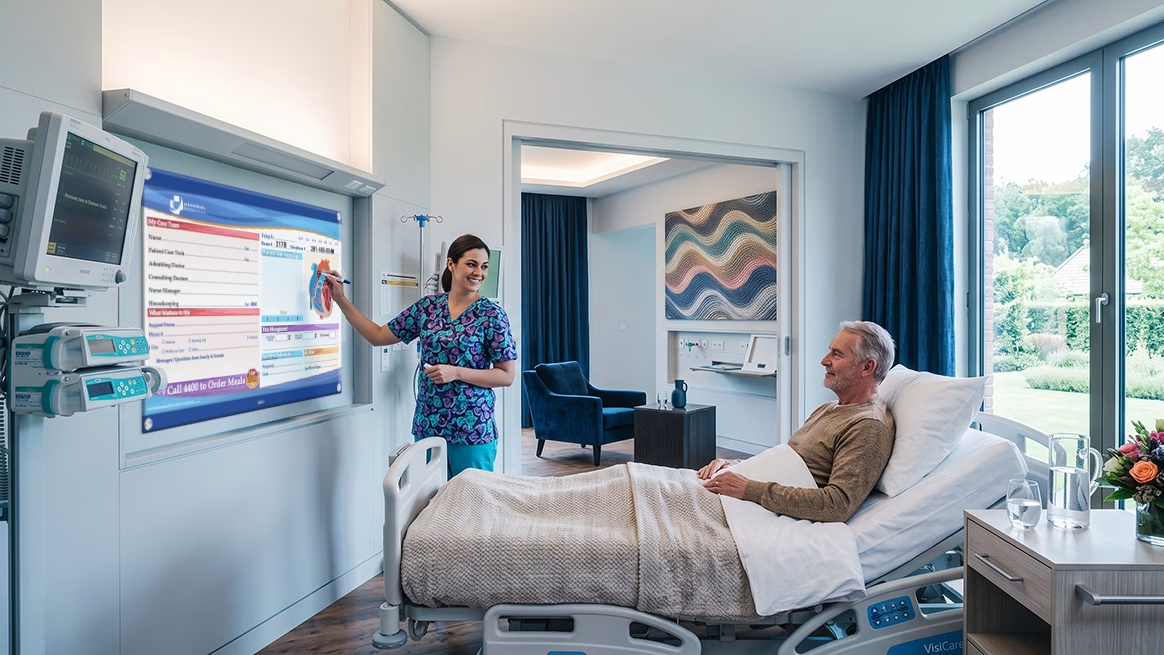
A board built for a med-surg floor looks nothing like what an ICU or orthopedics unit actually needs. Yet many hospitals routinely deploy the same generic layout across every room, every unit, every floor — and then wonder why boards go stale by mid-shift.
The result is predictable. Inconsistent layouts create inconsistent updates. Inconsistent updates create communication gaps. And those gaps affect everything: staff handoff efficiency, patient understanding, family trust, and ultimately, satisfaction scores. This post covers how to identify your unit’s workflow needs, what customization options are available for hospital glass boards and medical dry erase boards, and how to work with a supplier to get boards that your hospital staff will actually use — every shift in your hospital setting.
➡ For insights on improving staff communication and coordination in emergency departments and nursing teams, see our guide below.
Why Generic Boards Create Workflow Problems
A blank or lightly templated board puts the burden of structure on the individual nurse. Without a pre-defined layout that mirrors the unit’s actual workflow, each staff member imposes their own — which means no two rooms communicate information the same way.
Directors of Nursing and procurement leaders tend to recognize this pattern quickly:
- Inconsistent field placement across rooms slows handoffs and forces oncoming nurses to hunt for critical information
- Staff skip updates when the board layout doesn’t match the sequence in which care actually flows
- Patients and families can’t find information quickly, leading to repeated verbal questions that pull nurses away from clinical tasks
- Unit-level audits become harder when boards vary room to room — there’s no standard to measure against
The problem isn’t staff compliance. The board simply isn’t designed to support how care actually moves through the unit.
➡ For data on how board quality connects to patient satisfaction outcomes, see The Link Between Patient Communication and HCAHPS Scores.
What “Customization” Actually Means for Hospital Patient Whiteboards
For hospital administrators and procurement leads who haven’t been through a custom board program before, “customization” can sound vague. In practice, it covers four distinct dimensions that improve communication and efficiency in health care settings.
1. Pre-Printed Layout Fields
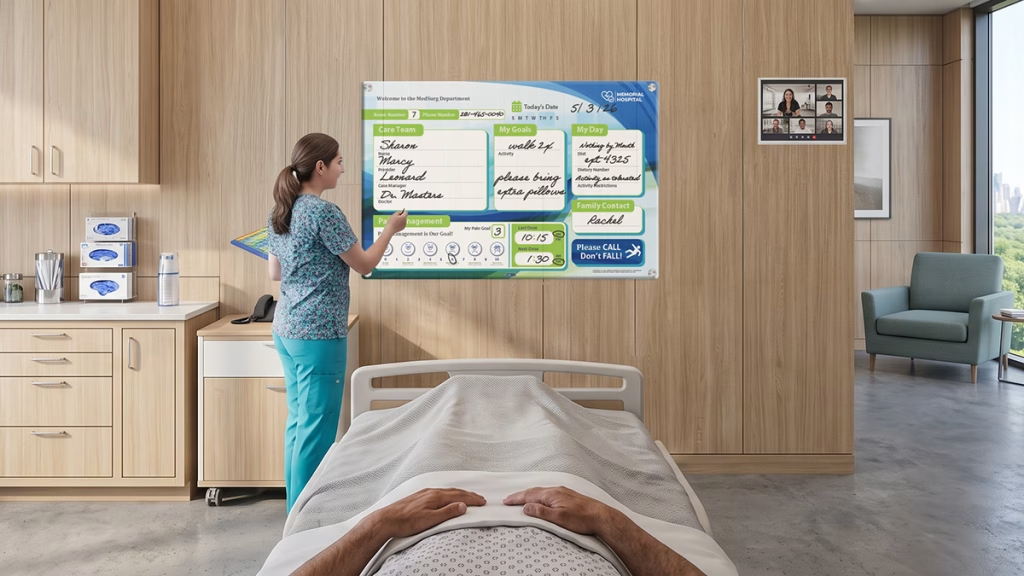
Pre-printed fields eliminate the blank-slate problem entirely. Rather than leaving clinical staff to decide what to write and where, the board prompts the right information in the right place, every shift. This integrated approach supports effective handoffs and reduces errors.
Common fields for in-room communication boards include:
- Care team names (RN, MD, CNA)
- Daily goals
- Discharge date and anticipated time
- Pain scale
- Fall risk level
- Medication notes or scheduled times
Pre-printed labels speed up updates and reduce the chance that critical fields get skipped under time pressure, helping clinicians access vital information at a glance.
2. Unit-Specific Workflow Sections
An ICU board and a pediatrics board serve fundamentally different clinical realities. Custom hospital glass boards and medical dry erase boards can be designed to reflect the actual sequence of care delivery for each unit type, improving workflow and patient safety.
- ICU boards may require dedicated sections for ventilator status, line notes, and goals of care
- Pediatric units often benefit from a family communication section, primary caregiver name field, and age-adjusted pain scale
- Boards co-designed with nursing staff are more likely to reflect how care actually flows — which directly supports update compliance and improves labor efficiency
3. Surface and Material Selection
The surface you choose affects how the board performs over time. Glass boards, plexi boards, and melamine dry erase boards each carry different durability, infection control, and maintenance profiles. This decision is part of the customization process, not a footnote to it.
Hospital glass boards maintain surface clarity across years of daily use and heavy disinfection cycles. Their non-porous, tempered safety glass resists bacterial absorption and harsh disinfectants, supporting infection control standards required in high-acuity environments.
4. Branding and Visual Design
Custom hospital patient whiteboards can incorporate facility logos, color-coded sections, and typography that aligns with your facility’s visual standards. Beyond aesthetics, smart visual hierarchy ensures that the most critical information — care team names, discharge date, daily goals — is readable from across the room, enhancing the ability of clinicians and patients to access information effectively.
Explore VisiCare’s full range of customizable patient whiteboard options to see what’s possible across board styles and configurations.
How to Identify Your Care Team’s Workflow Needs Before You Order
This is the step most procurement processes skip. Ordering custom boards without first mapping the unit’s actual workflow is just a more expensive version of ordering generic ones.
Here’s a practical approach that doesn’t require external consultants. A one-week observation period on a target unit will surface most of what you need.
- Map your current handoff process. What information does an oncoming nurse look for first? That field should anchor the board layout. Everything else follows.
- Audit what staff actually write on current boards. Compare that against which fields consistently go unfilled. Unused fields reveal a mismatch between the template and the reality of care delivery.
- Talk to patients and families. What information do they look for most? Discharge date, care team names, and daily goals are consistently the highest-priority fields for patients navigating a hospital stay.
- Check your HCAHPS weak points. If “Communication with Nurses” or “Discharge Information” domains are underperforming, map those directly to board field priorities. The board is a tool that can actively support those outcomes.
- Involve nursing staff in the design review. Boards co-designed with frontline staff see significantly higher update compliance rates. Their input on field order and layout is operationally valuable — not just consultative.
Matching Board Design to Common Patient Room Types
Customization becomes concrete when you look at it unit by unit. The table below offers a starting framework for field prioritization by unit type.
| Unit Type | Key Board Fields to Prioritize |
|---|---|
| Med-Surg | Care team, daily goals, discharge date, fall risk, pain scale |
| ICU | Clinical status fields, ventilator/line notes, family contact, goals of care |
| Pediatrics | Family communication section, weight/age-adjusted pain scale, primary caregiver name |
| Orthopedics | Surgical date, mobility status, PT schedule, discharge goals |
| Oncology | Treatment schedule, symptom tracking, support team contacts |
| This isn’t a one-size list. It’s a starting framework. The final layout should be validated with the unit’s charge nurses before moving to production. Their knowledge of daily workflow patterns will catch gaps that any standard template would miss. |
➡ To understand how board design choices connect to measurable facility ROI, see Measuring the ROI of Patient Communication Tools.
Surface Selection: Why Material Choice Is Part of the Workflow Decision
Surface type is often treated as a procurement footnote. It shouldn’t be. The material your board is made from directly affects how consistently staff use it.
Worn melamine surfaces resist clean erasing. When a board is difficult to wipe down or leaves ghost marks, staff stop trusting it — and stop updating it. That’s not a compliance problem. It’s a surface problem.
Hospital glass boards maintain surface clarity across years of daily use and heavy disinfection cycles. VisiCare’s glass boards feature a low-iron, tempered glass construction with an anti-microbial dry erase surface that supports infection control standards required in high-acuity environments. That long-term reliability supports consistent update compliance — which is what makes customization pay off operationally.
Non-porous glass surfaces resist bacterial absorption and hold up to the disinfection protocols used in ICU, oncology, and other high-acuity settings where surface integrity is non-negotiable.
The best custom layout loses its value if the surface makes it hard for staff to keep up with updates. Surface selection and field design should be evaluated together.
➡ See Glass Boards vs. Melamine Dry Erase Boards: Which Is Right for Your Hospital?for a full durability and cost comparison.
Working With a Supplier: What to Expect From the Design Process
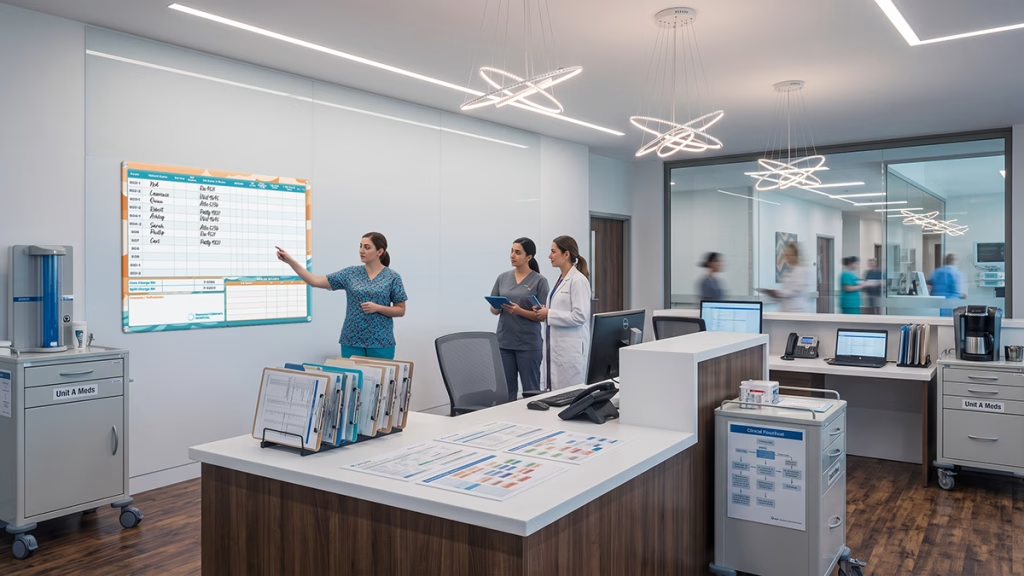
Procurement leaders evaluating suppliers for custom hospital patient whiteboards should look beyond the product catalog. The design process — and the supplier’s capacity to support it — matters as much as the board itself.
Use this checklist when evaluating potential vendors:
- ✅ Does the supplier offer a design consultation, or only a product catalog?
- ✅ Can they produce unit-specific layouts, or only standard templates?
- ✅ Do they have demonstrated experience with healthcare environments and infection control material requirements?
- ✅ Will they provide a proof or physical sample before full production runs?
- ✅ What is the lead time, and can they accommodate phased installation across multiple units or campuses?
- ✅ Do they offer post-installation support if layout revisions are needed?
High-performing board programs are rarely the result of one-time product purchases. They’re built through supplier partnerships — where design consultation, workflow review, and ongoing support distinguish vendors who deliver ROI from those who deliver boxes.
VisiCare’s in-house design team works directly with hospital administrators, Directors of Nursing, and procurement leaders to develop custom graphics, revise layouts through the proofing process, and ensure the final boards reflect both the unit’s clinical workflow and the facility’s brand standards. Explore VisiCare’s design and customization capabilities or request a consultation to get started.
Start With One Unit, Then Scale Patient Care
Customizing patient whiteboards is a workflow decision. When boards are built around how a unit actually operates — with pre-printed fields that match care sequence, surfaces that hold up to daily use, and layouts validated by frontline staff — update compliance goes up, communication gaps go down, and the operational returns are measurable.
The path forward doesn’t require a facility-wide overhaul. Start with one unit. The data from that unit will drive the rest.
Three concrete next steps:
- Audit current boards on one target unit — identify which fields go unfilled and why
- Map your HCAHPS underperforming domains to the board fields that support them
- Request a design consultation with VisiCare™ to spec boards built for your specific workflows and unit goals
Connect with VisiCare™ at VisiCare.com for a board audit or custom design quote. The team works with hospital administrators and procurement leaders to develop boards that fit — unit by unit.
Frequently Asked Questions
How do I customize a patient safety whiteboard for my hospital unit?
Start by mapping your unit’s handoff process and auditing which fields on current boards go unfilled. Then work with a supplier who offers design consultation — not just a product catalog. The best custom patient whiteboards are built from workflow data first, and visual design second. This approach ensures the board supports the unit’s specific technology and workflow needs, improving efficiency and staff compliance.
What should be on a hospital patient communication board?
Core fields for most units include care team names, daily goals, discharge date, pain scale, and fall risk level. Beyond that, field priorities should reflect the specific unit type — ICU boards require different clinical data sections than pediatric or orthopedic boards. Including dietary restrictions and medication notes can further enhance patient safety and care coordination.
What is the difference between hospital glass boards and traditional dry erase boards?
Hospital glass boards offer longer-lasting surface clarity, better erasability over time, and non-porous construction that supports infection control standards. They resist ghosting and staining, maintain high contrast for clear visibility, and can withstand harsh hospital-grade disinfectants without degrading. Many glass boards feature tempered safety glass, making them shatter-resistant and durable. Melamine boards are typically lower in upfront cost but degrade faster under daily use and cleaning, leading to ghosting and surface wear that can impair readability.
How do digital whiteboards improve hospital communication?
Digital whiteboards integrate with electronic health records (EHR) to provide real-time updates, reducing manual entry errors and saving staff hours per day. They improve patient engagement by displaying up-to-date care plans, medication schedules, and provider information. Digital systems also enhance workflow efficiency by automating updates and supporting interdisciplinary collaboration while maintaining HIPAA compliance.
What should I consider when selecting a supplier for custom patient whiteboards?
Choose a supplier that offers comprehensive design consultation, understands healthcare workflows, and can customize layouts to your unit’s needs. Look for experience with infection control standards, the ability to provide proofs or samples before production, and post-installation support for layout revisions. A strong supplier partnership can help your organization leverage new technologies and achieve measurable success and savings.
How can patient whiteboards impact hospital workflow and patient safety?
Well-designed patient whiteboards improve communication among care teams, patients, and families, which can reduce errors and enhance safety. Custom boards that reflect unit workflows help staff update information consistently, improving efficiency and reducing trouble caused by outdated or incorrect data. Integration with pharmacy and provider systems through digital boards supports accurate medication administration and care planning.
Are hospital glass boards a good investment?
While hospital glass boards may have a higher initial investment compared to traditional boards, they offer long-term savings by reducing replacement frequency and supporting infection control. Their durability and clarity improve staff efficiency and patient communication, contributing to overall organizational success.
➡ For more ideas on improving patient communication and workflow, explore resources from the National Academy Press and the Institute of Medicine.