

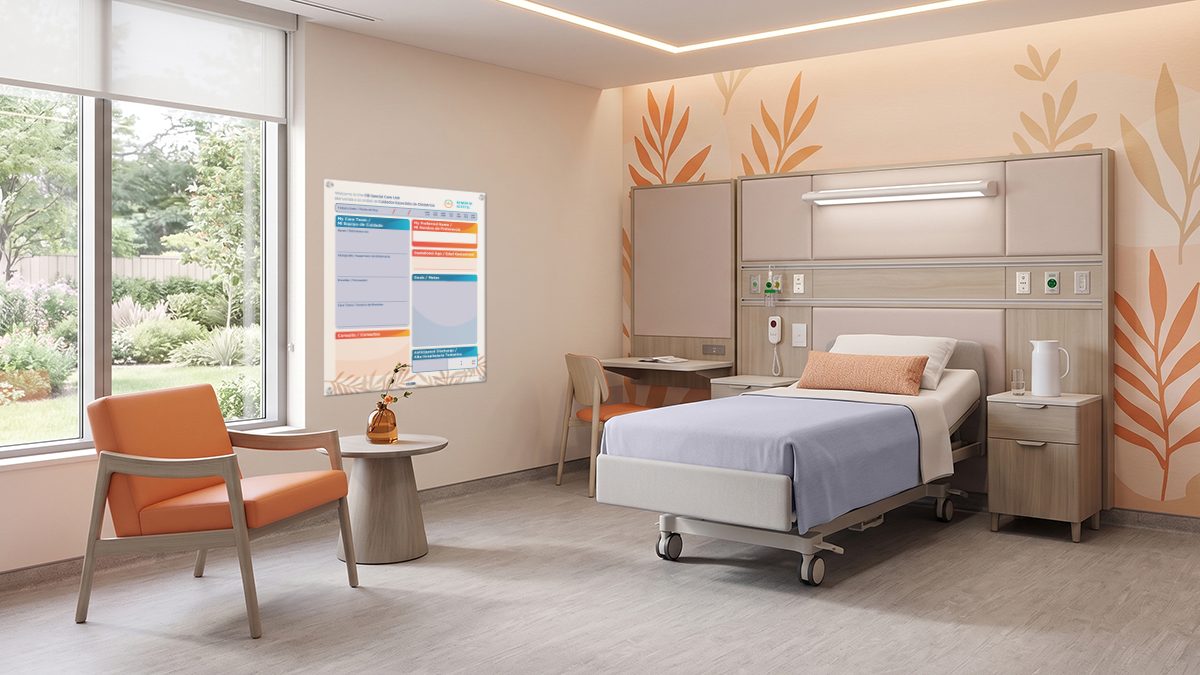
Hospital Whiteboards Built for Clinical Communication
Walk one inpatient floor and count the boards. You’ll likely find a patient room board on every wall, a status board at the nurse station, a huddle board in the break room, and signs on doors and in waiting areas. Most hospitals added these whiteboards one unit at a time, often from different suppliers and with no shared standard.
That patchwork causes real problems. Generic boards bought as office supplies leave each unit, and sometimes each nurse, to decide what goes where. Information looks different from room to room. Shift handoffs miss details, and patients see a different layout depending on the floor. Surveyors may also notice gaps in how safety and care information is shared.
The fix starts with a change in thinking. Clinical communication boards work best as a facility-wide system rather than a set of separate purchases. Each board has a defined reader, a defined purpose, and a defined place in the larger communication plan.
This guide is the hub for VisiCare’s Medical Facility Information Boards content. It maps the full category and points you to deeper resources on each topic.
What you’ll learn:
- What separates clinical communication boards from general-purpose whiteboards
- The five communication zones found in most hospitals
- How custom patient board layouts create consistency across zones
- How communication needs shift across inpatient care settings
- How health systems govern and standardize boards at scale
What Makes Hospital Whiteboards “Built for Clinical Communication”
A whiteboard in a conference room and a whiteboard in a patient room may look alike. They do very different jobs. Here is what sets clinical boards apart.
General-Purpose Whiteboards vs. Clinical Communication Boards
A generic board depends on whoever holds the marker to decide what matters. A clinical board builds that structure into its design, so the right information shows up in the same place every time.
| Factor | General-Purpose Whiteboards | Clinical Communication Boards |
|---|---|---|
| Purpose | Open-ended notes and brainstorming | Specific clinical or operational communication |
| Audience | Anyone in the room | A defined reader, such as a patient, family, nurse, or visitor |
| Layout | Blank surface | Pre-printed headings and fields |
| Consistency | Varies by user | Same structure across rooms and units |
| Accountability | No clear owner | Owned by a unit or system-level lead |
| Lifespan expectations | Replaced when worn or lost | Planned, maintained, and replaced on a schedule |
Five Traits of a Clinically Built Board
1. Defined audience. Every clinical board is designed for a specific reader. That reader might be a patient, a family member, a nurse, a physician, an environmental services (EVS) team member, or a visitor. Knowing the reader shapes everything else.
2. Structured information hierarchy. Fixed headings and pre-printed fields reduce guesswork. Staff know exactly where to write updates, and readers know exactly where to look.
3. Readability by design. A board only works if its audience can read it from where they sit or stand. Mounting height, font size, and contrast all play a role.
4. Durable, cleanable surfaces. Clinical boards must hold up to frequent cleaning with hospital-grade disinfectants.
5. Governance-ready. Clinical boards are built from graphic layouts that can be versioned, updated, and audited across units. That makes them manageable at scale.
Why This Distinction Matters to Hospital Leadership
For administrators and procurement teams, the difference goes beyond looks. Clinical boards support priorities you already track:
- Fewer communication gaps between shifts and departments
- A consistent patient experience across units
- Less time spent hunting for information
- Alignment with accreditation and regulatory expectations for safe, clear communication
For outcome data, see our analysis of the ROI of patient communication boards.
Key takeaway: A clinical board is defined by who it serves and how reliably it delivers information, not by its surface.
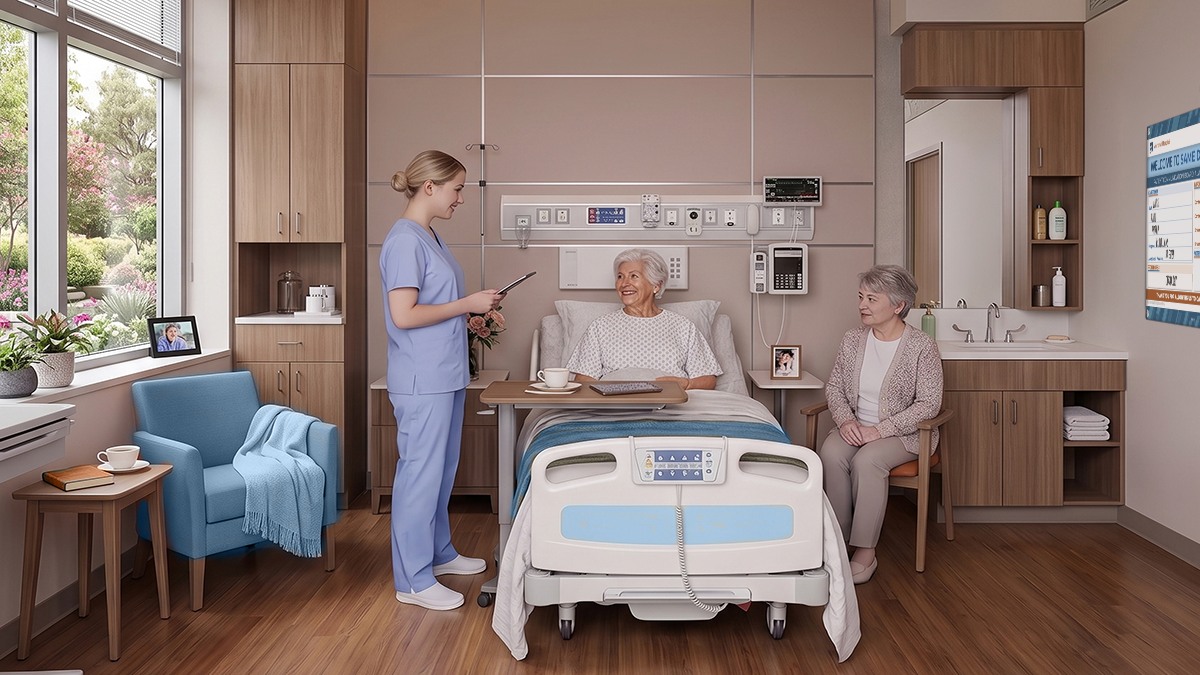
The Five Clinical Communication Zones in a Hospital
Next, let’s look at where clinical communication boards live. Information needs change with three factors: who is reading, how close they are, and how often the information changes.
Most hospitals have five distinct zones, moving outward from the patient to the public spaces of the facility. Each zone needs its own approach.
Zone 1: Patient Room Boards
Primary readers: Patients, families, and care team members entering the room.
What it communicates: Care team names, the plan for the day, and expected milestones such as tests or discharge timing.
The patient room board is the patient’s main window into their care. It is also the most visible board in your facility. Patients and families look at it many times a day, and it shapes how they judge communication during their stay.
Because this board carries so much weight, selection and content deserve close attention. To compare options, see our guide to hospital communication boards for patient rooms.
Zone 2: Bedside Communication Tools
Primary readers: The patient, at close range.
What it communicates: Pain scales, nonverbal communication aids, safety cues, and needs the patient wants to express.
Bedside tools differ from the wall-mounted room board. They sit within arm’s reach and invite the patient to take part. This matters most for patients who are nonverbal, sedated, recovering from surgery, or limited in mobility.
A well-designed bedside tool helps patients point to a pain level or signal a need without waiting for a conversation. Learn more about the essential pain rating scales.
Zone 3: Nurse Station Displays
Primary readers: Nurses, charge nurses, physicians, and unit clerks.
What it communicates: Unit status, room assignments, pending admissions and discharges, and team contact information.
The nurse station is the unit’s command center. Information here must be scannable at a glance, especially during handoffs and busy periods. A cluttered or outdated station board slows everyone down. Digital displays also help hospital staff check safety conflicts and reduce patient fall risks with smart technology. They can show schedules and a patient’s pain level at a glance to support coordination.
Explore this zone further through our post on nursing assignment boards.
Zone 4: Unit and Department Boards
Primary readers: The full unit team, including leadership.
What it communicates: Huddle topics, staffing updates, quality and safety metrics, and staff recognition.
Unit boards serve the team rather than any single patient. They support daily alignment and ongoing improvement. A strong unit board turns a five-minute huddle into a focused conversation about what matters today.
For setup ideas, see our nurse huddle whiteboard setup guide.
Zone 5: Door Signage and Common-Area Displays
Primary readers: Staff entering rooms, visitors, and families in waiting areas.
What it communicates: Room identification, precaution and safety alerts, visitor information, and wayfinding support.
Door and common-area boards are often the first point of contact. They must be recognized quickly while still protecting patient privacy. Under HIPAA, the federal law that protects patient health information, visible signage should share only what staff and visitors need to know. Precaution icons, for example, can signal what staff must do without listing a diagnosis.
Read more about door signage in how hospital whiteboards strengthen nurse-patient communication.
Key takeaway: Each zone has a different reader and rhythm, so one generic board style cannot serve them all.
Custom Patient Board Layouts: Building a Consistent System Across Zones
Once you understand the zones, the next step is connecting them. That is where custom patient board layouts come in.
Why Layout Matters More Than Any Single Board
Nurses, physicians, and support staff move between zones all shift long. When every board follows a different logic, staff waste time searching and are more likely to miss something. A consistent layout lets people find information by habit.
This makes layout a system decision, not a design preference.
Principles of a Facility-Wide Layout System
- Shared visual language. Use the same icons, color coding, heading styles, and graphics across all five zones to support collaboration. A fall-risk icon should look the same on a door sign as it does on a room board.
- Fixed vs. flexible fields. Pre-print what never changes, such as headings and labels. Leave writable space for what changes, such as names, goals, and times.
- Reader-first hierarchy. Place the most critical information where each reader looks first. A patient lying in bed sees the board differently than a nurse at the doorway.
- Brand and environment alignment. Layouts can reflect your facility’s identity and interior design without competing with clinical information. Thoughtful custom designs can include hospital logos and mission statements and ensure boards fit the surrounding environment.
When Customization Is the Right Call
Common triggers include:
- New construction or renovation projects
- New unit openings or service line expansions
- Health system mergers or acquisitions
- Peer benchmarking that shows gaps in communication standards
- Patient or staff feedback about confusing boards
If one of these triggers applies, see how to build custom patient whiteboards around your workflow. For design and print options, explore custom printed whiteboards.

How Clinical Communication Needs Differ by Care Setting
The five-zone framework stays the same across a hospital. What changes from unit to unit is the content and emphasis. Here is how needs shift across common inpatient settings.
Medical-Surgical Units
Med-surg units see high patient turnover. Discharge readiness and daily goals are the most important information to display. Because these units often have many rooms, consistency across every room is the main priority.
Critical Care and Perioperative Areas
In critical care and the ICU, patients may be sedated or unable to communicate. Families need clear, steady information to stay informed and calm. In a hospital setting, the board helps doctors, nurses, and families stay aligned on time-sensitive updates. Perioperative teams, meanwhile, rely on time-critical status updates before, during, and after procedures.
See our guide to glass boards in the operating room and our post on stroke care communication.
Pediatric and Family-Centered Units
Pediatric boards must speak to two audiences at once: children and parents. Friendly visuals, simple words, and space for family input matter more here than on adult units.
Learn more about pediatric room solutions and the role of communication boards in pediatric care.
Behavioral Health and Emergency Departments
Behavioral health units need safety-first board design and support for structured daily routines. Emergency departments need fast status visibility to keep patients moving.
Explore patient communication for mental health and our guide to designing a safer emergency department.
Key takeaway: One standardized framework with unit-specific content gives health systems both consistency and flexibility.
Governance and Standardization Across a Health System
Even the best-designed boards drift over time without clear ownership. Governance keeps your system reliable as units change, staff turn over, and facilities grow.
Who Owns Clinical Communication Boards?
Several groups have a stake in your boards:
- Nursing leadership
- Patient experience
- Facilities and design
- Infection prevention
- Procurement
Shared interest is healthy, but shared ownership without a lead often means no ownership. Name one owner or a small committee to approve changes. This prevents units from altering layouts on their own.
Building a Visual Library
A Visual Communication library is a set of approved, version-controlled board designs for each zone and unit type. “Version-controlled” simply means each layout has a date and number, so everyone knows which design is current.
A library makes growth easier. When you open a new unit or acquire a facility, you start from proven layouts instead of starting over.
Change Control and Compliance Alignment
Keep the change process simple:
- Request. A unit or department submits a proposed change, along with the detail needed for quoting or planning a larger order.
- Review. The owner or committee checks it against standards and other zones.
- Approve. Approved changes are added to the Visual library.
- Roll out. Updated boards are installed and staff are briefed.
- Audit. Periodic checks confirm the change is working.
A clear process also helps multi-room or facility-wide orders stay consistent.
This process also helps when regulations, accreditation expectations, or privacy guidance change. You can update graphic insert layouts in one place and roll them out across every affected unit.
Measuring Adoption and Consistency
Track a few simple signals:
- Periodic board checks to confirm boards are complete and current
- Staff feedback on what helps and what gets skipped
- Patient experience survey comments about communication
For the link between visible care plans and survey results, see patient care displays and HCAHPS. Upcoming guides will cover hospital whiteboard standardization and patient board audits (coming 2027).
Key takeaway: Governance turns individual boards into a reliable communication system.
Next Steps
Whiteboards for hospitals work best as a facility-wide system, not a collection of one-off purchases. That system spans five zones, from the bedside to the waiting room, and each zone serves a different reader on a different schedule. Custom patient board layouts tie those zones together with a shared visual language. A clear framework adapts to each care setting, and strong governance keeps the whole system accurate as your facility grows.
VisiCare™ partners with hospitals and health systems to design customizable, durable, and compliant clinical communication boards, backed by reliable support from first concept through installation. Our team can help you map the communication zones in your facility, find gaps, and plan a consistent approach across units.
Frequently Asked Questions
What are clinical communication boards?
Clinical communication boards are structured boards designed to share care and operational information with a specific reader, across five hospital zones: patient rooms, bedside, nurse stations, units, and doors and common areas.
How are whiteboards for hospitals different from regular whiteboards?
Regular whiteboards are blank and open-ended. Whiteboards for hospitals are built around a defined audience, a fixed information structure, and a governance process that keeps them consistent across units.
Can hospitals use different board designs on different units?
Yes. The best approach is a shared framework, with common icons, colors, and headings, plus unit-specific content. A med-surg unit and a pediatric unit can look different while still following the same system.
Who should manage board standards in a health system?
Board standards work best with shared input and a named lead. Nursing leadership, patient experience, facilities, infection prevention, and procurement should all weigh in, while one owner or small committee approves changes.